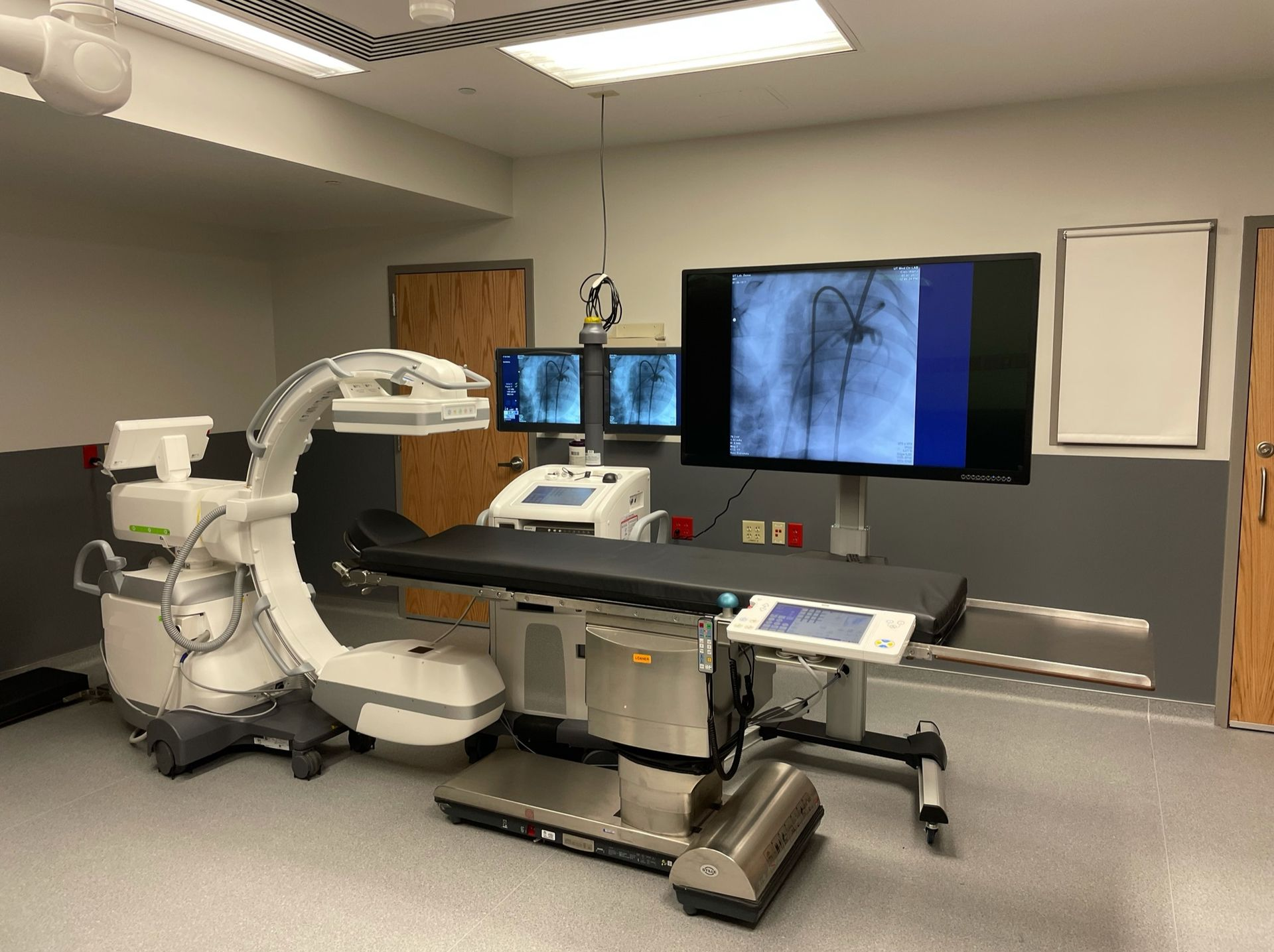
Mobile Cath Lab Applications Training: How to Prepare Your Team
This is a subtitle for your new post

Booking applications training is an important step in a mobile cath lab project. Preparing for that training helps the hospital get more value from the time its staff spend in the temporary lab.
The applications specialist needs to understand the equipment, the team's experience, and the work the hospital intends to perform. Staff need time to attend. The system needs to be available for the planned activities.
Mobile cath lab applications training works best when those pieces are coordinated before the session begins.
For cath lab and interventional radiology leaders, the preparation process can be straightforward: confirm the configuration, identify the users, set practical objectives, and connect training to the department's transition plan.
Confirm the Actual System and Training Scope
Start with the imaging system the hospital will receive.
Manufacturer familiarity can be helpful, but two systems from the same manufacturer may have different controls, software, installed applications, or room arrangements. A training plan should reflect the assigned configuration.
Give the applications team the relevant information about:
-
The manufacturer and system model.
-
Available software and applications relevant to the hospital's intended work.
-
The team's experience with that system or a similar platform.
-
The procedures the hospital plans to support in the temporary lab.
-
Supporting devices that staff will use alongside the imaging system.
-
The specific workflow questions the department wants to address.
Confirm which equipment is covered by the training engagement. An imaging-system session should not be assumed to include separate training for every injector, monitoring system, or other device used in the room.
Atlas's imaging applications training services are organized around the system, staff experience, workflow, and project objectives.
Identify Who Needs Which Part of the Training
A useful training roster does more than count attendees.
It identifies who will operate the technology, who will work around it, and who needs to understand how the temporary environment changes the department's routine.
The hospital can organize attendance by role:
| Group | Preparation questions |
|---|---|
| Technologists | Who will operate the system? What platform experience do they have? Which workflows need hands-on review? |
| Physicians | Which equipment controls, installed applications, or room arrangements need to be discussed? |
| Nursing | Which room-orientation and team-workflow topics are relevant to the nursing role? |
| Department leadership | How will attendance, follow-up questions, and the hospital's readiness decisions be documented? |
| Super-users or designated resources | Who will help collect questions and coordinate support after the initial sessions? |
Include evening, weekend, per-diem, and rotating staff in the planning discussion where applicable. A session attended by one shift does not automatically prepare every person who may later work in the trailer.
Protect Time for Staff to Participate
Training can be difficult when the same staff are expected to cover a full procedure schedule at the same time.
Before confirming the agenda, decide how the department will provide coverage and which participants need to be present together. Discuss group size and hands-on time with the applications specialist.
Some topics can be reviewed with a larger group. Other activities may work better with a smaller number of participants at the console or in the room.
The goal is to give the people who will use the equipment a practical opportunity to ask questions and work through relevant tasks.
If attendance changes, tell the applications team. It is easier to adjust a session before the specialist arrives than to discover that key staff cannot attend.
Build the Agenda Around Real Department Tasks
“Show us the system” is a broad request.
A more useful starting point is a short list of tasks the team needs to understand before working in the temporary lab.
Depending on the system and agreed scope, topics might include:
-
Finding and understanding the relevant system controls.
-
Navigating registration and worklist functions.
-
Reviewing the department's intended imaging workflows on the assigned platform.
-
Understanding the installed image-review and export functions.
-
Locating manufacturer-provided safety information and operating instructions.
-
Recognizing which questions belong with applications support and which need technical service.
The hospital's clinical leadership should identify its priorities. The applications specialist can then help determine how to address them on the installed technology.
Clinical protocols and readiness decisions remain with the hospital's appropriate clinical team. Training supports that process; it does not replace it.
Separate Equipment Training From Room Orientation
Moving into a mobile cath lab changes more than the imaging console.
Staff may be using a different entrance, storing supplies in new locations, or working with a different relationship between the procedure room and control area.
Include time to review the room with the hospital's clinical and operational team. Useful questions include:
-
Where will routine equipment and supplies be placed?
-
Which items will move between the hospital and trailer?
-
How will staff communicate with prep and recovery?
-
How will the team manage its established patient handoffs in this location?
-
Who will address a room-setup concern raised during orientation?
These are practical workflow decisions. Assign them to the hospital team members responsible for the relevant process and coordinate any equipment-related questions with Atlas.
Make Sure the Planned Training Can Actually Happen
The delivery date and training date should be connected to the installation plan.
If a session is intended to include worklist use or image transfer, the team needs to know whether those connections will be available. If an activity depends on a supporting device, confirm that the device will be present and ready for the planned review.
Atlas works with the hospital before delivery to obtain the information needed for PACS and worklist connectivity. During installation, the Atlas field service engineer works with the hospital's team to connect the rental technology.
Training planning should reflect the status of that work.
Before the session, confirm:
-
The system is available for the scheduled training activities.
-
The necessary staff can attend.
-
Required hospital access or onboarding arrangements are complete.
-
Relevant supporting equipment is available.
-
The team understands which topics can be covered and which may need a follow-up session.
That check helps avoid using valuable training time to solve scheduling or access problems.
Bring Questions From the People Doing the Work
Ask staff for their questions before the agenda is finalized.
The most useful questions are often specific: “Where is the function we use for this step?” or “Who do we contact if this image-transfer workflow does not behave as expected?”
Collect the questions in one place and share them with the applications specialist. Group them by equipment operation, clinical workflow, room setup, and technical support so they reach the right person.
If the team is moving from a familiar fixed lab, ask what it expects to feel different in the trailer. That discussion can identify concerns that a standard presentation might miss.
Plan for Questions After the First Session
Not every question appears during the first walkthrough.
Once staff begin working through the hospital's approved transition process, they may identify a workflow that needs another explanation or an individual who would benefit from additional instruction.
Name a department contact to collect those questions and coordinate the response. Record the question, the staff group affected, and whether it concerns applications, service, or a hospital process.
Follow-up should be specific. A request such as “review the image-export steps with the evening team” is easier to organize than “the staff need more training.”
Discuss follow-up needs with Atlas so the appropriate support and scheduling can be arranged.
What If Delivery or Training Dates Move?
Hospital project schedules can change.
Atlas works with hospitals to move delivery timelines back when delays occur, and applications training can be rescheduled. Notify the project team as early as possible so equipment readiness, specialist scheduling, and staff attendance can be coordinated around the revised plan.
Do not leave the original training appointment disconnected from an updated installation date. Confirm the new arrangement with everyone involved, including staff who may have changed their shifts to attend.
Frequently Asked Questions
Do experienced cath lab staff still need applications training?
They may. Prior clinical experience and familiarity with a particular imaging platform are different considerations. Review the team's experience against the assigned system, installed applications, and temporary workflow when defining training needs.
How long should mobile cath lab applications training take?
There is no single duration that fits every department. The appropriate schedule depends on the system, staff experience, number of participants, objectives, and agreed scope. Define those factors with the applications team before finalizing dates.
Should nurses attend the same sessions as technologists?
Some topics may be relevant to both groups, while others are specific to the person operating the system. Build attendance around role-specific needs and the hospital's workflow, rather than assuming every participant needs the same agenda.
Can training be rescheduled if the hospital project is delayed?
Yes. Atlas offers flexible applications-training scheduling. Let the team know about the delay early and coordinate a revised date that aligns with installation readiness and staff availability.
Prepare for Your Temporary Cath Lab With Atlas Medical
Atlas Medical supports mobile cath lab rentals and system-specific applications training for hospital projects.
Share the technology your team currently uses, the intended rental configuration, expected schedule, and your staff's main questions. That gives us a practical starting point for coordinating the training your department needs.
Discuss your applications-training needs with Atlas Medical .
Sean Schneider
Mobile Project Manager · Atlas Medical
About the Author
Say hello to Sean Schneider - our Mobile Project Manager at Atlas Medical. Sean has worked in the medical imaging industry for over 20 years, including 10 years with Atlas Medical.
Sean has a knack for making complicated projects simple to understand. Around here, Sean's the man who keeps things moving smoothly.
When Sean isn't helping launch our mobile imaging units at new sites he enjoys spending time with his family, golf, and hockey.
Request a Mobile Imaging Solution
Our Services Include: