Mobile CT Rental: How to Verify the Assigned Scanner Configuration
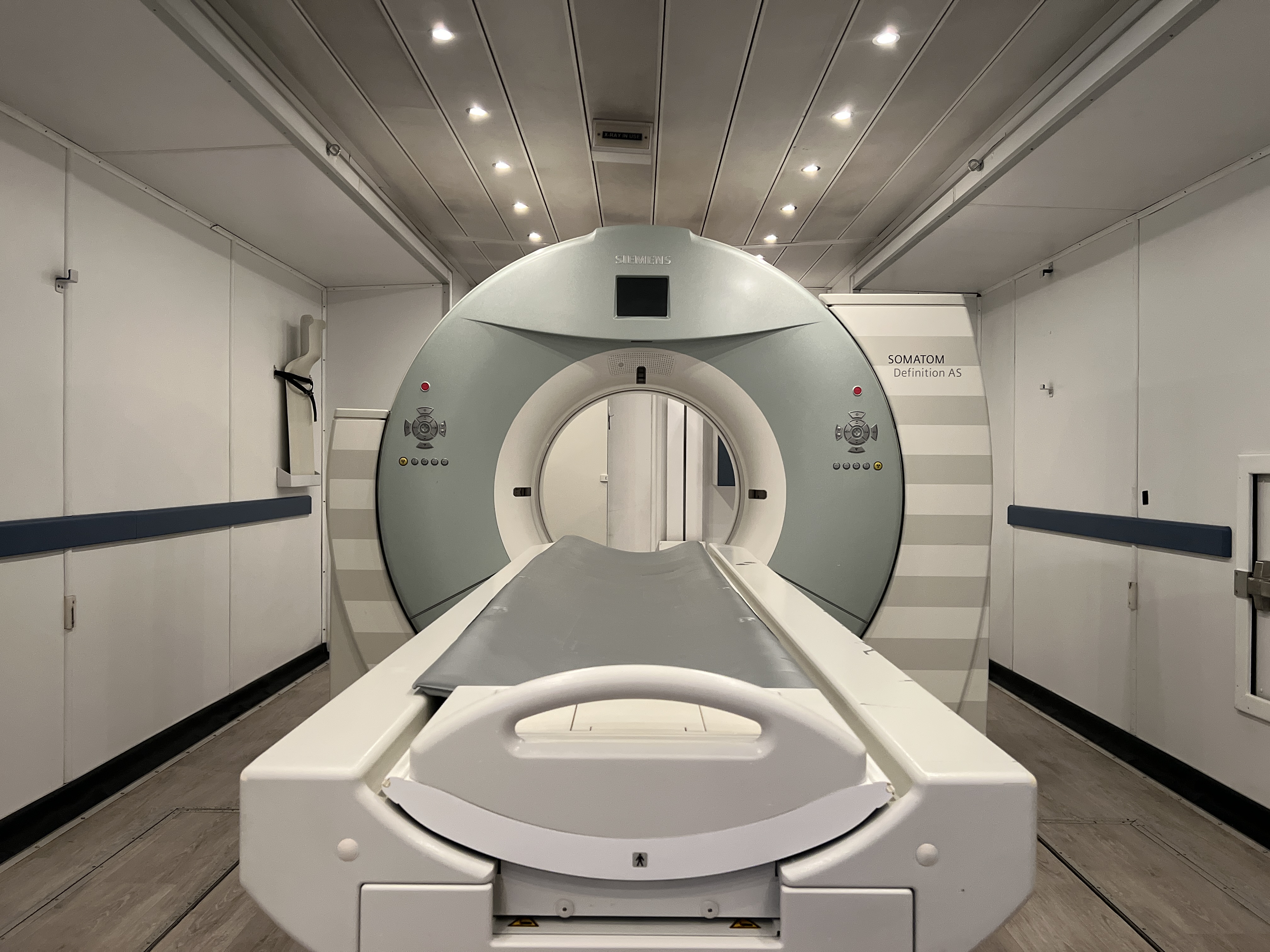
A mobile CT proposal can name a familiar scanner while leaving an important question unanswered: which capabilities will be available on the unit assigned to your hospital?
Before the project team builds its schedule around that equipment, turn the proposed configuration into a short, reviewable record. This record should connect the hospital's intended work to the actual scanner, installed software, required accessories and evidence still needed. It gives purchasing, radiology and technical teams a common basis for deciding whether the proposed unit fits the project.
Start with the work the temporary scanner must support
Ask radiology leadership to define the intended exam mix and the capabilities that matter to it. Separate requirements needed at the start of temporary operations from desirable features and work the hospital plans to keep elsewhere.
This is a planning exercise, not an opportunity to copy scan parameters from another system. The clinical team should determine examination suitability and protocol requirements through its normal review process.
Write requirements in terms that can be checked. “Support our usual work” is difficult to evaluate. “The radiology team must review the required acquisition and reconstruction functions for the exams moving to the temporary unit” creates an identifiable decision and owner.
Include operational dependencies too. If a workflow depends on a particular workstation, accessory or hospital application, identify that dependency instead of treating the scanner as a complete answer by itself.
Tie every answer to the assigned unit
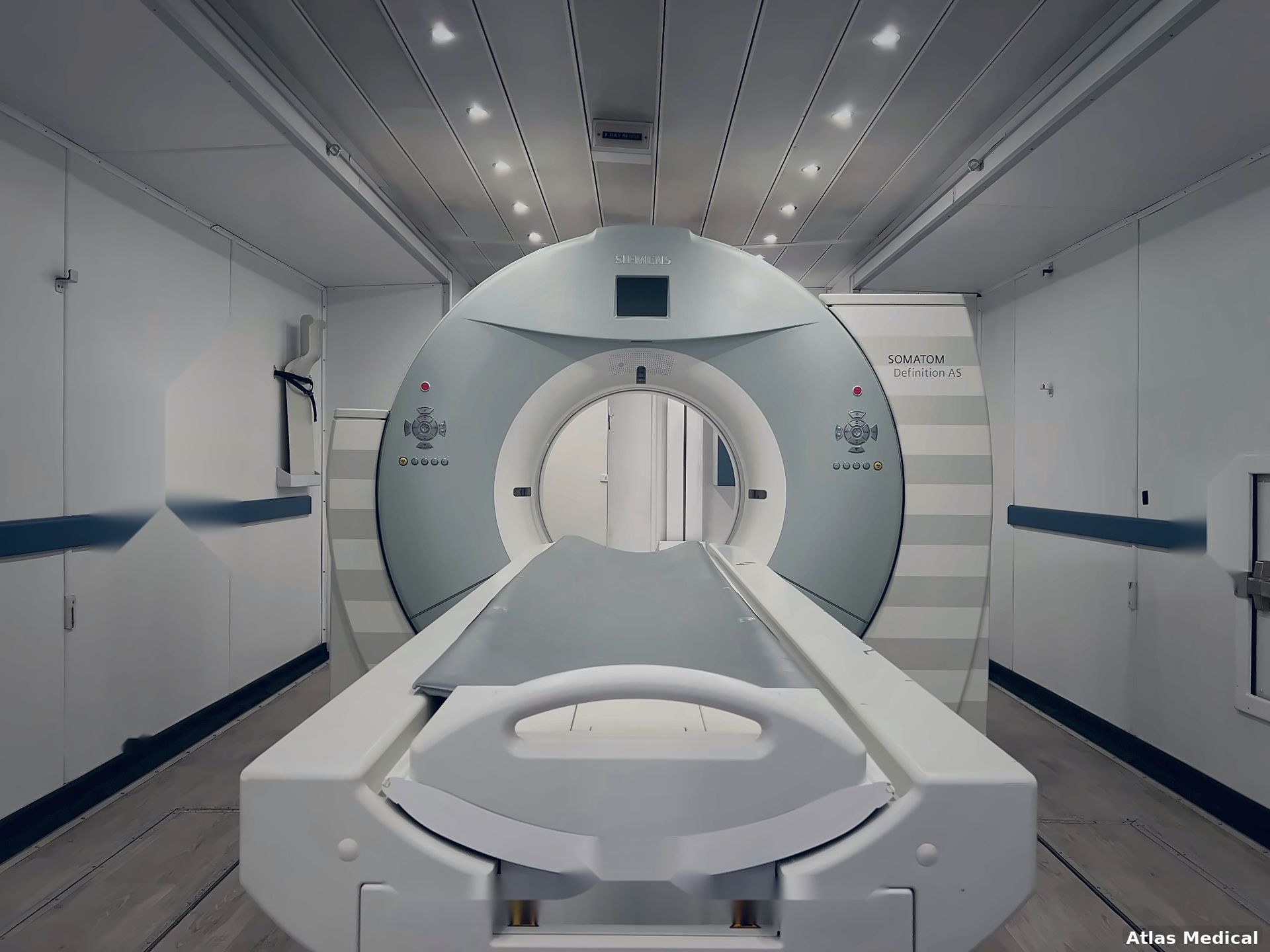
Request a configuration summary that identifies the proposed scanner and trailer, the software version, the relevant installed options and the date of the information. If the exact unit has not yet been assigned, label the proposal provisional and give the team a date for confirmation.
A product-family brochure can help with early research, but it does not establish every feature on an individual system. For example, Siemens Healthineers' syngo CT VB30 training material distinguishes optional and license-dependent functions and explains that some demonstrated features may not be present on a particular system. It also directs users to the applicable operator documentation for actual use.
The practical purchasing question is therefore: what evidence supports this answer for the unit we are receiving?
Useful evidence may include a current configuration report, the relevant manufacturer documentation and written confirmation from the provider. Keep patient information, passwords and network credentials out of the purchasing record.
Build a configuration review matrix
Use one row for each decision that could affect the hospital's choice or preparation. The following structure is a suggested planning tool; it is not a universal equipment specification.
| Review area | Question to resolve | Evidence or decision to record |
|---|---|---|
| Equipment identity | Which scanner and trailer are proposed? | Unit identifiers and the date the assignment was confirmed |
| Intended examinations | Which planned work has radiology reviewed for this configuration? | Clinical reviewer, scope and unresolved questions |
| Software and options | Which required functions are installed and available? | Software version and unit-specific option confirmation |
| Accessories and workstations | What does the workflow require, and who supplies it? | Itemized responsibilities and compatibility review |
| Physical requirements | Does the assigned unit match the site plan? | Current unit-specific drawings and facilities review |
| Information systems | Which documentation matches this system version? | Applicable conformance documents and IT reviewer |
| Preparation | Which differences need staff orientation or further testing? | Owner, next action and completion date |
Give each row a status such as confirmed, pending evidence or requires decision. A pending answer is useful when it has a named owner and due date. An unanswered cell that looks complete is harder to manage.
Keep documentation versions aligned
Store the configuration summary and supporting documents together with dates and version identifiers. When someone updates an answer, record what changed and which reviewers need to see it.
Version matching matters for technical documentation as well as for the scanner description. Philips, for example, organizes its CT DICOM conformance statements by product and software release. That is a useful reminder to request the document applicable to the proposed system rather than using whichever statement is easiest to find.
Document review does not replace integration testing. The configuration matrix identifies what the team is planning to receive; a separate acceptance process verifies how the installed system works in the hospital environment.
Agree on what happens if the assignment changes
Ask the provider how a proposed substitution or configuration change will be communicated. Identify who at the hospital will review it before the team continues using the earlier plan.
A simple change record should state the original assignment, the proposed replacement or change, the affected requirements, the supporting documents and the decision still needed. Consider the effect on staff preparation, accessories, facilities work and technical integration. Do not assume an earlier review automatically applies to a different unit.
For example, if the proposed system changes after the clinical team has reviewed its requirements, reopen the affected matrix rows. The hospital may confirm the new assignment, request additional evidence or revise which work will move to the temporary scanner. Record that decision and its effect on the project schedule.
Use the review to make a clear project decision
Before confirming the equipment plan, gather the open items into a short decision meeting. Focus on questions that could change the unit selection, the work it will support or the preparation needed.
The resulting record should make four things clear:
- The configuration the team is planning around.
- The requirements that have been reviewed and by whom.
- The unresolved items, owners and decision dates.
- The process for reassessing a change in assignment.
Configuration review is one step in a larger project. Delivery, setup, hospital approvals and readiness activities still need their own coordination. Atlas's mobile CT installation guide explains how those later workstreams fit together.
For an upcoming temporary CT project, bring the intended exam mix, required functions, proposed dates and open configuration questions to the first planning discussion. Contact Atlas Medical to discuss the project.

Sean Schneider
Mobile Project Manager · Atlas Medical
About the Author
Say hello to Sean Schneider - our Mobile Project Manager at Atlas Medical. Sean has worked in the medical imaging industry for over 20 years, including 10 years with Atlas Medical.
Sean has a knack for making complicated projects simple to understand. Around here, Sean's the man who keeps things moving smoothly.
When Sean isn't helping launch our mobile imaging units at new sites he enjoys spending time with his family, golf, and hockey.
Request a Mobile Imaging Solution
Our Services Include: