Using a Mobile CT Scanner During Hospital Renovations: How to Maintain Imaging Capacity
Renovating a hospital CT suite can create an operational problem long before construction begins:
Where will patients be scanned while the permanent CT room is unavailable?
The renovation itself may involve construction, infrastructure work, equipment replacement, room modifications, technology upgrades, or a combination of projects.
During that time, the hospital may still need to support scheduled imaging, emergency demand, inpatient exams, and other CT volume.
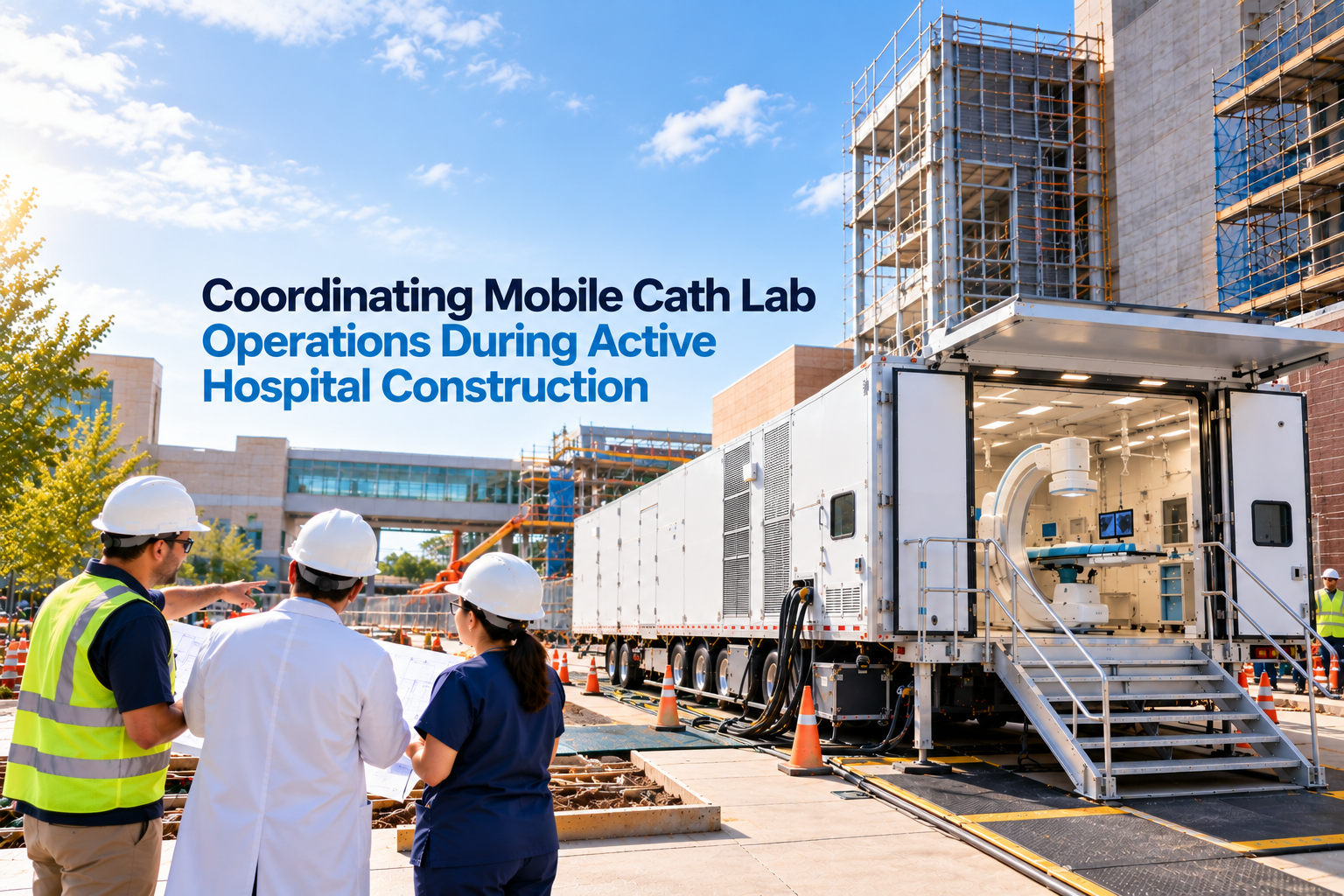
A mobile CT scanner for hospital renovation can provide temporary imaging capacity while the permanent suite is offline.
Atlas Medical's Mobile CT Scanners are designed for temporary imaging needs including renovations, overflow, equipment downtime, and temporary expansion.
The important part is timing.
The temporary CT solution should be ready
before the permanent CT suite becomes unavailable.
Start With the Imaging Capacity Gap
Before choosing equipment or preparing a site, define the actual problem the hospital needs to solve.
Start with four dates:
| Project Milestone | Question to Answer |
|---|---|
| Permanent CT shutdown | When will the existing room stop scanning patients? |
| Renovation start | When does construction need access to the room? |
| Permanent CT readiness | When is the renovated suite expected to be ready? |
| Clinical return | When can normal patient scanning actually resume? |
The final two dates should not automatically be treated as the same.
Construction may be complete while equipment, IT, applications training, workflow preparation, or hospital-specific readiness activities are still underway.
Temporary CT coverage should therefore be planned around the
clinical capacity gap, not simply the construction schedule.
Build the Mobile CT Timeline
Around the Permanent CT Shutdown
A renovation-continuity plan can work backward from the permanent suite's shutdown date.
A simplified sequence looks like this:
Permanent CT remains operational
↓
Mobile CT requirements are defined
↓
Temporary location and infrastructure are prepared
↓
Mobile CT arrives
↓
Utilities and connectivity are established
↓
Technologists receive required system-specific training
↓
Temporary workflow is tested
↓
Mobile CT reaches clinical readiness
↓
Permanent CT suite goes offline
↓
Renovation takes place
↓
Mobile CT supports imaging capacity
↓
Renovated CT suite is prepared for clinical return
↓
Imaging volume transitions back
↓
Mobile CT is removed
The goal is to avoid creating an unnecessary period where neither CT environment is ready for patients.
Atlas's Mobile CT Scanner Installation guide covers the delivery-to-go-live portion of this process in more detail.
Determine How Much CT Capacity
Needs to Be Replaced
A temporary scanner does not exist in isolation from the rest of the imaging department.
Hospital leaders should understand what workload the permanent scanner currently supports.
Review factors such as:
- Average daily CT volume
- Peak-volume periods
- Emergency department demand
- Inpatient demand
- Outpatient demand
- Types of studies performed
- Cardiac CT requirements
- Perfusion requirements
- Specialty protocols
- Hours of operation
- Weekend requirements
- Existing CT capacity elsewhere in the hospital or health system
The question is not simply:
"Do we need a temporary scanner?"
It is:
"What portion of our current CT workload must the temporary scanner support?"
That distinction helps define the equipment, software, operating schedule, and workflow requirements for the project.
Decide What Can Be
Absorbed Internally
Some hospitals have multiple CT scanners.
Before planning the temporary environment, determine whether another scanner can absorb part of the volume.
For example:
- Current CT volume: 100%
- Capacity absorbed by another scanner: 25%
- Volume redirected within the health system: 10%
- Remaining temporary capacity requirement: 65%
The numbers will vary by hospital, but the exercise is useful.
It prevents project teams from selecting temporary equipment without understanding what it actually needs to accomplish.
Hospitals should also consider whether moving additional volume to another scanner
could create new bottlenecks elsewhere.
Match the Mobile Scanner to
the Exams That Must Continue
The temporary scanner should be evaluated against the clinical workload expected during renovation.
Atlas Medical's mobile CT fleet includes systems from major OEMs including Siemens, GE, Canon, and Philips.
The exact scanner should be evaluated based on the hospital's requirements.
Questions may include:
- What slice count is needed?
- What exams must continue?
- Are cardiac studies required?
- Is perfusion capability required?
- Are specialized software packages needed?
- What reconstruction capabilities are required?
- Does the hospital prefer a particular OEM?
- What system are technologists already familiar with?
Atlas also has a dedicated resource on Mobile CT Image Quality that discusses matching scanner capability to the expected workload.
A temporary scanner should not be selected simply because it is available.
It should fit the work it is expected to perform.
Choose the Temporary Location Around Clinical Operations
Renovation projects can make site selection more complicated.
The most convenient location for a mobile CT trailer may also be needed for:
- Contractor staging
- Equipment delivery
- Construction vehicles
- Cranes
- Material storage
- Temporary walkways
- Emergency access
Facilities and construction teams should therefore coordinate the mobile CT location early.
Atlas's Preparing for Your Mobile CT Scanner resource covers broader site-preparation considerations such as surface and space, connectivity, power, supplies, and regulatory requirements.
For a renovation project, the hospital should also consider how the location interacts with the construction site.
Protect the
Patient Route
The temporary CT may be outside the hospital's normal imaging footprint.
That changes the patient journey.
Project teams should physically walk the proposed route and ask:
How does a patient get from the hospital to the mobile scanner and back?
Consider:
- Inpatients
- Outpatients
- Emergency patients
- Wheelchairs
- Stretchers
- Staff escorts
- Weather exposure
- Doorways
- Elevators
- Hallways
- Security
- Accessibility
- Distance from preparation areas
The shortest trailer location is not automatically the best location.
A slightly different location may create a much better patient route while also avoiding construction traffic.
Separate Construction Traffic
From Patient Traffic
A renovation creates two very different traffic patterns.
Construction traffic
Contractors may need access for:
- Materials
- Equipment
- Demolition
- Waste removal
- New equipment delivery
- Specialty trades
Clinical traffic
The mobile CT requires access for:
- Patients
- Technologists
- Nurses
- Supplies
- Support staff
Those routes should be reviewed together.
A mobile CT project that works on a drawing may create operational problems if patients regularly cross an active construction route.
The facilities team, construction team, radiology leadership, and mobile imaging provider should understand how the two projects interact.
Prepare Infrastructure
Before the Shutdown
A temporary scanner needs infrastructure even though it is not located in the permanent imaging suite.
Site preparation may include:
- Appropriate parking or placement area
- Electrical service
- Network connectivity
- Physical access
- Patient access
- Other project-specific infrastructure
Atlas's current site-preparation guidance identifies 480V, three-phase power as typical for mobile CT, but requirements should always be verified against the specific unit being proposed rather than using a general specification as universal.
Facilities teams needing a deeper electrical planning resource can review Mobile CT Scanner Power Requirements: What Hospital Facilities Teams Should Plan For.
Infrastructure work should ideally be completed and verified before the permanent scanner is taken offline.
Make the Temporary Scanner
Part of the Hospital's Imaging Network
Patients may be scanned in a trailer, but their imaging information still needs to move through the hospital's normal clinical systems.
Atlas states that its mobile CT scanners can connect to existing PACS/EHR environments, with IT coordination around network configuration and DICOM routing.
Hospital IT should be involved early.
Planning may include:
- Network connection
- DICOM configuration
- PACS
- RIS/EHR connectivity
- Worklist
- Image routing
- User access
- Security requirements
- Testing
The objective is for the temporary scanner to function as part of the hospital's imaging workflow
rather than as a disconnected piece of equipment.
Prepare Technologists
Before Volume Moves
Experienced CT technologists may still need support when the temporary scanner differs from the permanent system.
Differences may involve:
- OEM
- Scanner model
- Software
- Console layout
- Protocol organization
- Scan planning
- Reconstruction
- Post-processing
- Installed applications
Atlas includes applications training with its Mobile CT rentals.
For a deeper look at system-specific preparation, hospitals can use the CT Applications Training: Building Confidence With New Scanner Technology resource.
Training should be coordinated with the shutdown schedule.
Ideally, the team has time to become familiar with the temporary system before it becomes responsible for the renovation-period workload.
Rebuild the Daily Workflow
Around the Temporary Environment
Even when the scanner performs the same clinical role, daily operations may change.
Ask where staff will:
- Prepare patients
- Start IVs when required
- Store supplies
- Access contrast
- Complete documentation
- Communicate with nursing
- Review images
- Handle emergency situations
- Move patients after scanning
The trailer may also change walking distances and communication patterns.
Small workflow changes can become significant when repeated across dozens of patients every day.
A renovation plan should therefore include a
temporary operating model, not only a scanner.
Plan Supplies
Before the First Patient
The permanent CT room may contain supplies that staff access without thinking about them.
Moving into a temporary environment can expose those assumptions.
Before go-live, identify what needs to be available in or near the temporary CT environment.
That may include hospital-approved:
- Patient-care supplies
- Contrast-related supplies
- Cleaning supplies
- PPE
- Linens
- Emergency equipment
- Documentation materials
- Other department-specific items
Atlas's site-preparation guidance also recommends planning consumables before operations begin.
The hospital should determine the appropriate inventory and storage requirements for its own clinical workflow.
Define Responsibilities
Between Renovation and Mobile CT Teams
Renovation projects already involve many stakeholders.
Adding temporary imaging introduces another project track.
A simple responsibility map can help.
| Area | Typical Stakeholders |
|---|---|
| Renovation schedule | Facilities / Construction / Project Management |
| CT clinical requirements | Radiology / CT Leadership |
| Mobile CT configuration | Radiology + Mobile Imaging Provider |
| Site location | Facilities + Mobile Imaging Provider |
| Electrical preparation | Facilities / Electrical Team |
| PACS and network | Hospital IT + Mobile Imaging Provider |
| Applications training | CT Leadership + Applications Team |
| Patient workflow | Radiology / Nursing / Operations |
| Regulatory requirements | Hospital Compliance / Appropriate Authorities |
| Permanent-suite return | Project Team + Radiology + OEM |
Exact responsibilities will vary by project.
What matters is that each critical task has a clear owner.
Create a Renovation Continuity Board
One way to keep the project focused is to track five readiness areas.
1. CAPACITY
- Required CT volume defined
- Required exams identified
- Scanner configuration selected
- Hours of operation established
2. SITE
- Temporary location approved
- Delivery access confirmed
- Construction conflicts reviewed
- Patient route established
3. INFRASTRUCTURE
- Electrical requirements confirmed
- Network available
- Required facility work completed
- Unit-specific requirements verified
4. CLINICAL READINESS
- Technologists identified
- Applications training scheduled
- Supplies available
- Temporary workflow defined
5. TRANSITION
- Temporary go-live date established
- Permanent shutdown coordinated
- Renovation milestones tracked
- Permanent return-to-service criteria defined
- Mobile CT removal planned
A renovation should not move into the shutdown phase simply because one of these areas is ready.
The project needs alignment across all five.
Build Contingency Time Into
the Temporary CT Plan
Renovations do not always finish on the original date.
Unexpected conditions can appear after construction begins.
Equipment schedules can change.
Testing or commissioning can take longer than expected.
For that reason, the mobile CT rental period should not be based only on the most optimistic renovation schedule.
Hospital project teams should understand:
- Rental duration
- Extension options
- Extension notice requirements
- Equipment availability
- Commercial terms
- Demobilization timing
The hospital should know what happens to temporary imaging capacity if the permanent project moves by several weeks.
Don't Remove the
Mobile CT When Construction Ends
Construction completion is an important milestone.
It is not necessarily the same as clinical readiness.
Before moving CT volume back into the renovated room, the hospital may still need to complete applicable:
- Equipment installation
- Equipment testing
- IT integration
- PACS workflow preparation
- Applications training
- Department workflow preparation
- Hospital-specific readiness activities
The mobile scanner can continue supporting imaging capacity while those final steps are completed, depending on the rental agreement and project plan.
Plan the Transition Back
Before Renovation Ends
The return to the permanent CT suite should be planned just like the move into temporary CT.
Define:
Last planned day in mobile CT
↓
Permanent scanner clinical readiness
↓
Patient scheduling transition
↓
Staff transition
↓
Supplies moved back
↓
Temporary workflow closed
↓
Mobile CT demobilized
The hospital should avoid creating a new capacity gap at the end of the project by removing temporary imaging too early.
Mobile CT Renovation
Capacity Framework
Before shutting down the permanent CT room, hospital teams can use this framework:
| Question | Ready? |
|---|---|
| Do we know how much CT volume needs temporary coverage? | Yes / No |
| Can the selected mobile scanner support the required studies? | Yes / No |
| Is the temporary site ready? | Yes / No |
| Is electrical infrastructure ready for the specific unit? | Yes / No |
| Is the patient route workable? | Yes / No |
| Has construction traffic been considered? | Yes / No |
| Is PACS/EHR connectivity ready? | Yes / No |
| Have technologists been prepared for the temporary system? | Yes / No |
| Are supplies and operational workflows ready? | Yes / No |
| Can the rental be extended if renovation is delayed? | Yes / No |
| Is there a defined transition back to the permanent suite? | Yes / No |
Any unresolved "No" deserves attention before the permanent scanner goes offline.
Planning a Mobile CT Scanner
for a Hospital Renovation With Atlas Medical
Atlas Medical provides Mobile CT Scanner rentals for hospitals managing renovations, equipment upgrades, overflow, temporary expansion, and other imaging-capacity needs.
Atlas's current Mobile CT offering includes systems from Siemens, GE, Canon, and Philips, PACS/EHR integration support, applications training, technical support, and flexible temporary imaging options.
Hospitals preparing for renovation can make the initial planning conversation more productive by having the following information available:
- Permanent CT shutdown date
- Renovation timeline
- Expected temporary imaging duration
- Current CT volume
- Required exam types
- Preferred scanner/OEM
- Proposed mobile location
- Infrastructure status
- IT contact
- CT leadership contact
- Applications-training requirements
- Expected permanent-suite return date
For additional planning guidance, hospital teams can also explore the Atlas Medical Resources library.
The objective is straightforward:
Have temporary CT capacity clinically ready before the permanent suite goes offline—and keep it available until the renovated CT environment is truly ready to take patients back.
Frequently
Asked Questions
Can a mobile CT scanner be used while a hospital CT suite is renovated?
Yes. Atlas specifically identifies renovations as one of the use cases for its Mobile CT Scanner rentals. The temporary scanner can provide imaging capacity while the permanent CT environment is unavailable.
When should a hospital arrange a mobile CT for renovation?
Planning should begin well before the permanent scanner is scheduled to go offline. Site preparation, infrastructure, delivery, IT integration, applications training, and hospital-specific readiness activities may all need to occur before temporary scanning begins.
How long should the mobile CT remain on-site?
The temporary coverage period should reflect the hospital's actual clinical capacity gap, not only the construction dates. Hospitals should account for the time required to return the permanent CT suite to clinical readiness.
Can a mobile CT connect to the hospital's PACS and EHR?
Atlas states that its Mobile CT solutions can integrate with existing PACS/EHR environments, with its IT team coordinating with hospital IT around connectivity and DICOM routing.
Will CT technologists need training on the mobile scanner?
It depends on their familiarity with the specific OEM, model, software, and applications. Atlas includes applications training with its Mobile CT rentals, and additional system-specific training may be useful when staff are transitioning to unfamiliar equipment.
What happens if the renovation takes longer than expected?
Hospitals should understand rental-extension options and related terms before deployment. Building contingency into the temporary imaging plan can help protect capacity if the permanent project is delayed.
Should the mobile CT be removed as soon as renovation
construction is complete?
Not necessarily. Construction completion and clinical readiness may occur at different times. The permanent environment may still require equipment, IT, training, workflow, and hospital-specific readiness work before routine patient scanning resumes.
Mobile CT Scanner Price
Curious what you’ll pay for a mobile ct scanner truck or trailer? Pricing depends on several key factors:
- Scanner Model & Slice Count: Cutting-edge, higher-slice scanners demand higher monthly fees.
- Length of Rental: Longer commitments often reduce monthly costs.
- Service & Maintenance Packages: Opting for a full-service plan can raise costs but remove the burden of repairs.
- Geographic Location: Transport fees and regulatory requirements may bump up the final price.
Our typical Mobile CT rentals range from $20k to $40k per month.
Learn more about what goes into Mobile CT Rental Pricing HERE.
Turnkey Mobile CT Scanner
A “turnkey” mobile CT unit means all in one, no guesswork necessary. From power hookups and specialized staff training to compliance with local regulations, Atlas Medical delivers a seamless experience. Roll in, plug in, and start scanning—it’s that straightforward.
We offer Mobile CT rentals featuring all the major OEMs:
GE
Siemens
Philips
Canon




Why Choose Atlas Medical
Extensive Inventory
Whether you’re after a 16-slice workhorse or a high-slice advanced system, we have the mobile ct scanner trailer or truck to match your needs. We offer mobile CT scanner from major OEMs such as GE, Siemens, Canon, and Philips.
Flexible Agreements
From short-term mobile ct rental options to purchase and long-term leases, we tailor solutions that fit your budget and strategic goals.
Dedicated Support
Our expert team isn’t just about dropping off a trailer. We handle setup, maintenance, and regulatory compliance so you can focus on patient care. To get started we can help you
choose the best mobile CT scanner for YOU and guide you through
site prep requirements.
Proven Reputation
Hundreds of clinics, hospitals, and imaging centers nationwide trust Atlas Medical to expand their diagnostic services. We'll even guide you through
Mobile CT legal regulations and requirements.
Ready to elevate your imaging capabilities?
Let us help you bring advanced diagnostic services directly to your patients—without the cost and wait of permanent construction. When you need to rent, lease, or buy a mobile ct unit, trust Atlas Medical to deliver modern solutions for modern healthcare.

Sean Schneider
Mobile Project Manager · Atlas Medical
About the Author
Say hello to Sean Schneider - our Mobile Project Manager at Atlas Medical. Sean has worked in the medical imaging industry for over 20 years, including 10 years with Atlas Medical.
Sean has a knack for making complicated projects simple to understand. Around here, Sean's the man who keeps things moving smoothly.
When Sean isn't helping launch our mobile imaging units at new sites he enjoys spending time with his family, golf, and hockey.
Request a Mobile Imaging Solution
Our Services Include: