Mobile Cath Lab Delivery Day: Who Needs to Be Involved?
A mobile cath lab delivery brings several parts of a hospital project together at the same time.
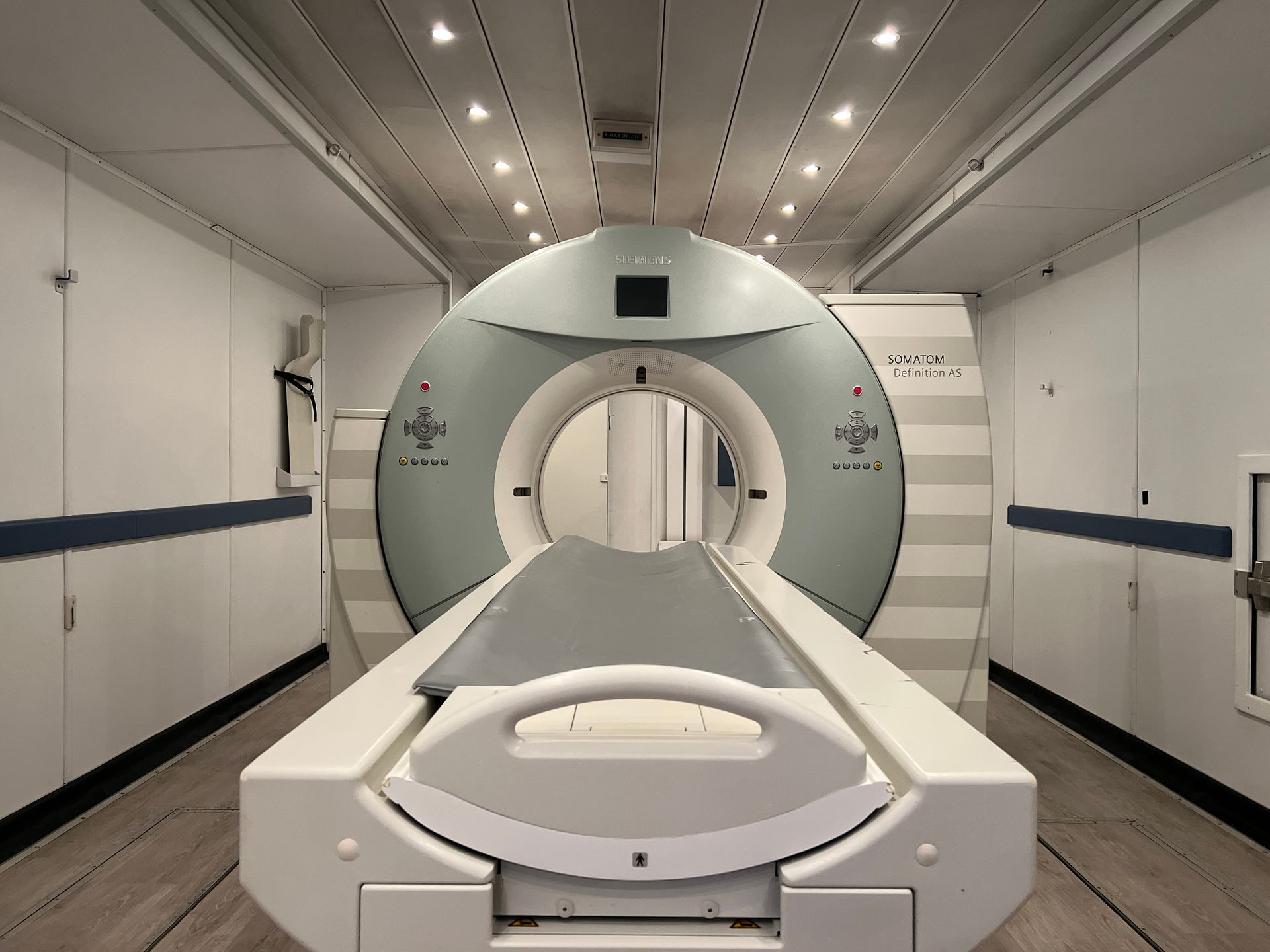
The trailer needs to reach its planned location. Site connections need to be ready. The imaging system needs to be installed and connected to the hospital's environment. Clinical staff need a clear plan for training and the transition into the temporary lab.
That work is easier to coordinate when each department knows what it owns before the delivery team arrives.
For hospitals preparing for a renovation, equipment replacement, or temporary expansion, a useful delivery plan answers three questions: Who needs to be available? What must each person confirm? Who makes the decision when something changes?
Start With One Hospital Project Lead
Choose one person to coordinate the hospital's side of the deployment.
This person does not need to perform every task. Their job is to keep the schedule, contact list, and unresolved items connected.
The project lead should know which hospital teams are responsible for site readiness, technical connections, clinical preparation, and final operating approval. They should also know how to reach the Atlas Medical deployment contact during the delivery window.
An email distribution list is helpful. A current phone list is more practical when a truck is approaching the site and a gate needs to be opened.
Who Should Be Available on Delivery Day?
Not every stakeholder needs to stand beside the trailer for the entire delivery.
Some need to be on-site for a particular task. Others need to be reachable to answer a question or make a decision. Confirm that distinction during the final planning call.
| Team or role | What to coordinate |
|---|---|
| Hospital project lead | Schedule, decision-making, outstanding items, and communication between departments |
| Facilities or engineering | Prepared site, utilities, access to relevant infrastructure, and required contractors |
| Security or parking team | Delivery entrance, reserved area, traffic coordination, and any escort arrangements |
| Hospital IT and PACS team | Network readiness, PACS/worklist information, connection support, and testing |
| Clinical engineering or biomed | Hospital equipment acceptance processes and coordination of supporting devices, as applicable |
| Cath lab or IR leadership | Staff orientation, training attendance, supplies, and the planned transition into service |
| Nursing and patient transport | Patient movement, handoffs, prep/recovery coordination, and the temporary route |
| Atlas delivery and installation team | Arrival coordination, trailer setup, imaging-system installation activities, and the agreed project scope |
The rental agreement and project plan should define the actual division of responsibilities. Use this table to organize the discussion around your hospital's needs.
Facilities: Confirm the Site Matches the Delivery Plan
The final site check should cover the location the trailer will actually occupy and the route it will take to get there.
A location that looked clear during planning may have changed. Parked vehicles, construction materials, temporary fencing, or another delivery can affect access.
Before arrival, confirm that:
-
The agreed delivery route is available.
-
The positioning area is clear.
-
Required site preparation has been completed.
-
The unit-specific utility requirements have been reviewed and addressed.
-
The people responsible for connections will be available when needed.
-
Access arrangements for patients and staff are coordinated with the setup plan.
Work from the specifications for the assigned trailer. A previous mobile project at the hospital may have used a different configuration.
If a contractor needs to return after positioning, put that visit on the schedule. The delivery team should not have to discover an unscheduled dependency after the unit reaches the site.
IT and PACS: Make the Connection Plan Specific
For the clinical team, receiving the trailer is only part of the transition. The imaging technology also needs to fit into the hospital's information workflow.
Atlas works with the hospital before delivery to obtain the information needed for PACS and worklist connectivity. During delivery and installation, the Atlas field service engineer works with the hospital to connect the rental technology to the hospital's systems.
The hospital should identify the people who can support that work and resolve hospital-side access or configuration questions.
Before delivery, ask:
-
Has the requested connectivity information been supplied?
-
Is the planned network connection ready?
-
Who will work with the Atlas engineer during installation?
-
Who can make or approve required hospital-side changes?
-
How will the team confirm the intended worklist and image-transfer workflow?
A named contact and a defined testing window are more useful than a general instruction to “call IT.”
Clinical Leadership: Prepare the Team's First Walkthrough
Cath lab or IR leadership should coordinate when staff can enter the unit for orientation and applications training.
That timing needs to follow the installation team's readiness update. The trailer's arrival alone does not establish that it is ready for staff training or patient procedures.
Before the walkthrough, collect the team's practical questions. For example:
-
Where will routine supplies be kept?
-
Which supporting equipment is provided, and which equipment is coming from the hospital?
-
How will staff move between the procedure room and control area?
-
Where will patient preparation and recovery take place?
-
Who is scheduled to attend applications training?
These details help turn a room tour into useful preparation for the actual department workflow.
Patient Transport and Nursing: Check the Whole Route
The trailer entrance is one part of the patient journey.
The hospital also needs to plan the route from preparation to the temporary lab and from the lab to recovery. That route may involve a different entrance, an outdoor segment, or a change in staff handoffs.
Include the people who will perform those tasks in a walkthrough before clinical use. Use the hospital's own policies and appropriate equipment to review access, communication, and transfer arrangements.
Document who will resolve anything that needs attention. A question about the route should have an owner, just like a question about a utility connection.
Use a Short Delivery-Day Huddle
A brief coordination huddle can put everyone on the same page before work begins.
Keep it focused on the day's actual sequence:
-
Confirm who is leading the hospital and Atlas teams.
-
Review the arrival and positioning plan.
-
Identify which tasks depend on setup being completed first.
-
Confirm when facilities, IT, and clinical representatives are needed.
-
Review outstanding items and who owns each one.
-
Agree on how changes and readiness updates will be communicated.
Avoid assigning a single “delivery complete” milestone to every activity. Positioning the trailer, completing technical installation, holding training, and beginning clinical operations are separate steps.
For the broader sequence, see Atlas Medical's mobile cath lab rental timeline guide .
Keep an Open-Item List Through the Handoff
An open-item list helps the teams leave the site with the same understanding of what is finished and what remains.
For each item, record the issue, responsible person, next action, and target completion time. Also note whether it affects training, testing, access, or the planned clinical start.
For example, “network needs attention” is difficult to act on. “Hospital IT to confirm the designated network connection before the integration session” gives the team a specific next step.
The hospital should complete its required readiness and approval processes before beginning clinical use. The project lead should know who makes that decision and which remaining items must be closed first.
What If the Hospital's Schedule Changes?
Tell Atlas as soon as a change becomes likely.
Atlas works with hospitals when construction or other project delays require the delivery timeline to move back. Applications training can also be rescheduled, with the revised arrangements coordinated between the teams.
For delays affecting the end of a rental, Atlas offers month-to-month extensions after the initial rental term. Discuss the updated schedule early so the rental, training, and hospital project plans stay aligned.
Frequently Asked Questions
Does everyone need to be on-site for the entire delivery?
No. Identify which people are needed for specific activities and which people should be available by phone. Confirm those windows with the deployment team before delivery.
Who connects the rental technology to the hospital's PACS and worklist?
Atlas gathers the necessary information with the hospital before delivery. During installation, the Atlas field service engineer works with the hospital's team on the connection.
Is the trailer ready for patients as soon as it arrives?
Arrival, installation, testing, training, and clinical readiness are separate milestones. The project team should confirm the applicable requirements and the hospital's approval process before scheduling the transition into service.
What should the hospital send Atlas before delivery?
Provide the current site information, delivery contacts, access instructions, requested technical information, and any changes affecting the planned deployment. Keep the hospital's open-item list current through the final coordination call.
Plan Your Mobile Cath Lab Delivery With Atlas Medical
Atlas Medical provides mobile cath lab rental solutions for hospitals preparing for equipment replacement, renovation, and temporary capacity needs.
Share your project location, preferred timing, clinical requirements, and known site constraints. We can work with your hospital team to coordinate the next steps—from pre-delivery information through installation and applications training.

Sean Schneider
Mobile Project Manager · Atlas Medical
About the Author
Say hello to Sean Schneider - our Mobile Project Manager at Atlas Medical. Sean has worked in the medical imaging industry for over 20 years, including 10 years with Atlas Medical.
Sean has a knack for making complicated projects simple to understand. Around here, Sean's the man who keeps things moving smoothly.
When Sean isn't helping launch our mobile imaging units at new sites he enjoys spending time with his family, golf, and hockey.
Request a Mobile Imaging Solution
Our Services Include: