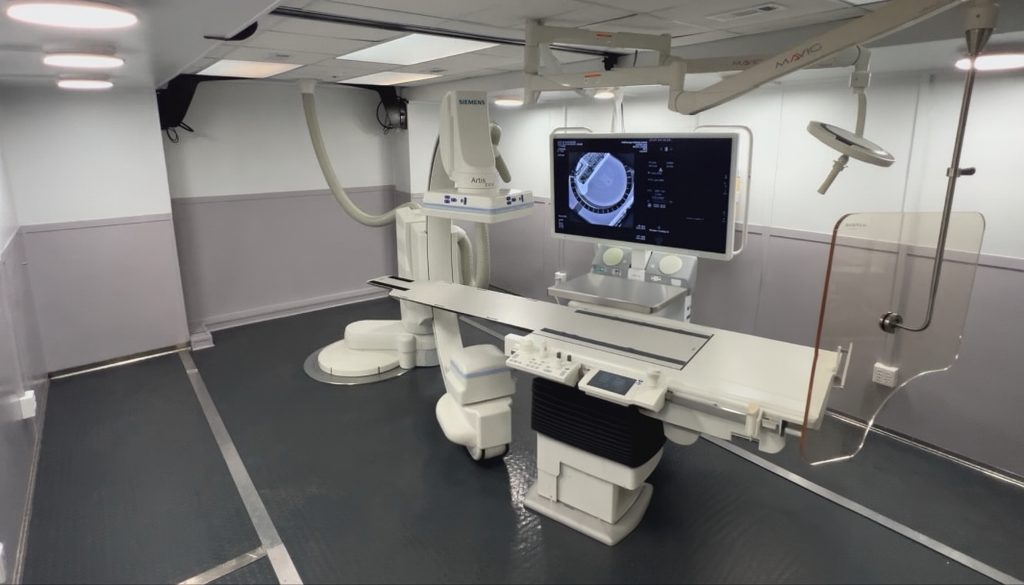
A request for a temporary EP lab can mean different things to different members of a hospital team. One person is thinking about the room and imaging environment. Another is thinking about recording, mapping or other equipment that the hospital expects to use. A third is focused on staffing, preparation and how the temporary arrangement connects to the existing department.
A requirements register helps turn those expectations into specific questions. Hospitals exploring temporary interventional options can use it to capture what needs confirmation, who reviews the answer and which project documents support the decision. It does not establish that an EP configuration is available or that a proposed combination of systems is suitable.
Define the project scope in the hospital's own terms
Ask EP leadership to describe the intended temporary service scope at a level that can guide provider discussions. Identify the hospital teams that need to review the environment and associated equipment questions. Keep the scope description separate from a general marketing term such as "EP capable."
Record what the provider is being asked to supply and what the hospital expects to bring or arrange. If an item is still undecided, say so. A requirements register is useful precisely because it preserves an unresolved question without allowing it to look like an included feature.
Ask the team which unresolved questions could change its project decision. Put those items near the start of the register, even if the answers are expected from different reviewers. This lets purchasing distinguish a proposal that needs routine clarification from one whose scope still depends on a substantial hospital decision. Keep that distinction visible as new information arrives.
Make each requirement specific enough to review
Instead of writing "mapping system needed," record the question the team needs answered: which hospital system is proposed, who will confirm the relevant configuration, and what information the provider or manufacturer must supply. Avoid inserting model names or software versions that have not been verified.
Use a few consistent fields:
| Requirement field | What it captures |
|---|---|
| Requirement or question | The hospital's specific expectation or unresolved issue |
| Category | Room, equipment, interface, staff preparation or workflow |
| Supplied or arranged by | Proposed provider or hospital responsibility |
| Review owner | The person or specialist team accepting the answer |
| Evidence reference | Project document, manufacturer information or written response |
| Status and next action | Proposed, under review, confirmed or otherwise unresolved |
Keep the evidence reference attached to the requirement. That makes it possible to understand why an item is marked confirmed when a new stakeholder joins the project.
Separate equipment inclusion from compatibility questions
Knowing that an item is included does not answer whether it will work with every other proposed item. Capture inclusion and interface questions separately, and route technical review to the responsible hospital specialists and relevant manufacturers or suppliers.
The FDA describes medical device interoperability in terms of safely and effectively exchanging and using information. That distinction is helpful in purchasing discussions: a connection label or a general statement of connectivity is not proof that the intended combination meets the hospital's needs.
For an illustrative planning example, the hospital may propose bringing an existing system into the temporary environment. The register can identify who owns the equipment details, who reviews the proposed interfaces and which written answers are outstanding. It should not mark compatibility confirmed merely because both pieces of equipment have been used elsewhere.
Include workflow questions with named hospital owners
The register should also capture questions about staff roles, room use, documentation responsibilities and preparation for the temporary arrangement. Ask who will review each category and how the hospital will record its decision. These are planning questions for the hospital's responsible leaders, not clinical instructions to be settled by a general checklist.
Link related requirements so the team can see dependencies. For example, a room-use question may depend on confirmation of the equipment arrangement. Recording that connection helps the coordinator explain why a workflow item remains open even when its reviewer is available.
Use confirmed answers to support the next project decision
Review the register with the provider and hospital stakeholders before treating a proposal as complete. Identify which answers are supported, which depend on another decision and which require specialist review. Update the record when the proposed unit, equipment or hospital scope changes.
Bring the requirements register to a discussion with Atlas as a structured set of questions. It helps distinguish the hospital's expectations from documented project scope and makes the remaining review work visible. That gives purchasing and project teams a clearer basis for the next decision while keeping clinical, technical and approval responsibilities with the appropriate owners.