A hospital planning a temporary interventional radiology environment may receive a representative layout, a unit drawing, a proposed site plan and later revisions from several contributors. Those files can look similar while answering different questions. If a reviewer works from the wrong version, the discussion may continue around an arrangement that is no longer proposed.
A temporary IR drawing register gives the project team a clear index of the documents it is using. It identifies the origin, revision, intended purpose and review status of each drawing. For hospitals discussing interventional temporary facilities, the register can make provider and hospital coordination easier without replacing the work of designers or specialist reviewers.
Identify what each drawing is for
Start by asking whether a file is a representative reference, a project-specific unit drawing, a hospital site proposal or another document. Record its intended use in plain language. A representative brochure layout can help a buyer understand a service category, but it should not silently become the working drawing for a specific site.
Ask the document owner to clarify any ambiguous status. The register should show what has been supplied and what the team can reasonably use it to discuss. Where professional review or formal approval is required, record the responsible party and the project's established review route.
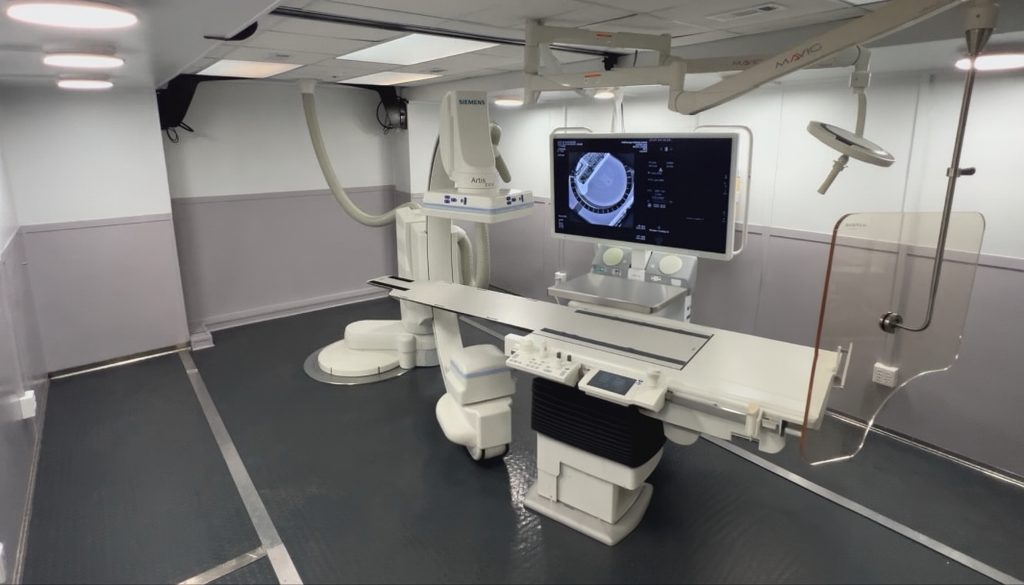
Atlas's modular biplane page identifies several interventional project categories, including IR. The suitable arrangement for an individual project still needs to be established from project-specific information; a service page is not a final layout or evidence of availability.
Keep a compact record of the current documents
Use fields that help a reviewer locate and interpret the file:
| Register field | Information to record |
|---|---|
| Document identifier | File name or drawing number used by its owner |
| Title and origin | What it covers and who issued it |
| Revision and issue date | The version currently under discussion |
| Intended use | Reference, coordination, review or another stated purpose |
| Review owner | Hospital team or project professional responsible for the question |
| Related question | Linked open item, with a response owner and due date |
| Current status | Current, awaiting review or superseded, using agreed project terms |
Link to the original file rather than circulating renamed copies that lose the issuer's identification. If the hospital uses an established document system, adapt the register to that system instead of creating a competing repository.
Route questions to the right drawing owner
An IR project may raise questions about the site, the temporary unit, staff space, supporting services and connections to the hospital. These categories do not necessarily belong to the same person. Write each question so the responsible reviewer can identify the information needed.
For example, "Does this drawing show the unit proposed for our project, or is it a representative layout?" can go to the provider. "Which hospital site-plan revision should this unit drawing be reviewed against?" belongs with the hospital's project or design team. A specialist question about an infrastructure connection should be routed to the appropriate qualified reviewer.
The coordinator's role is to preserve the question and response, not to infer technical suitability from a visual resemblance or a general diagram.
Show what changed when a revision arrives
When a new drawing is issued, record the new revision and ask the issuer to identify the change information available. Link the new file to the version it replaces. Notify the reviewers whose open questions or previous comments may be affected.
Keep superseded files in the project's controlled history where appropriate, while making the current working version easy to identify. This helps a new team member follow the discussion without mistaking an earlier proposal for the present arrangement.
A hypothetical planning example is a hospital receiving a revised orientation drawing after an initial campus review. The register can connect that drawing to the affected site question and show whether facilities, the provider and the hospital project lead have reviewed the new version. The revision itself does not prove that all related approvals are complete.
Review open items alongside the register
AHRQ's leadership overview emphasizes sharing plans and communicating changes. A drawing review can apply those coordination principles by confirming the current documents, naming unresolved questions and recording the next owner action.
Bring the register to the planning meeting with Atlas and the hospital reviewers. Focus the discussion on the files that have changed and the answers still needed. A clear document index, supported by specific questions and traceable responses, helps the team progress from a general concept toward the project information required for its own decisions.